< Previous article Next article >
HOWTO: Configure third-party application for right-to-left languages on Windows
Now, most of the applications fully support right-to-left typing styles without any configuration. If any third-party application seems to not fully recognize right-to-left typing style when typing, especially for Keyman keyboards, please follow these steps:
OpenOffice Writer
-
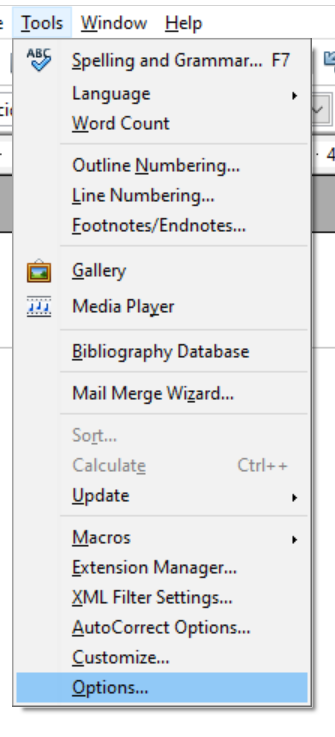
Select Tools in the menu bar of the application.
-
Choose Options... from the drop-down.
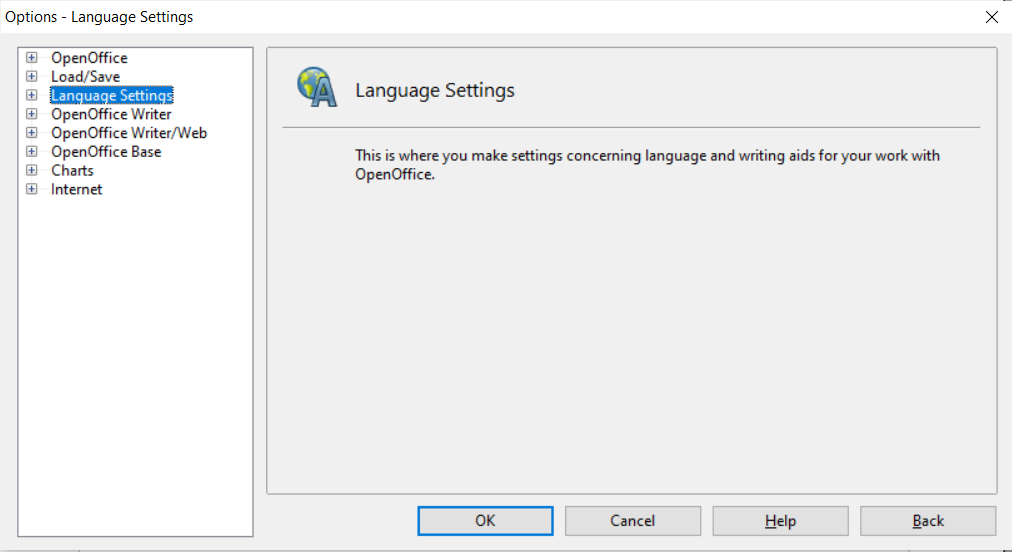
- Once the Options window appears, go to Language Settings.
- Then select Languages, and these options will show up.
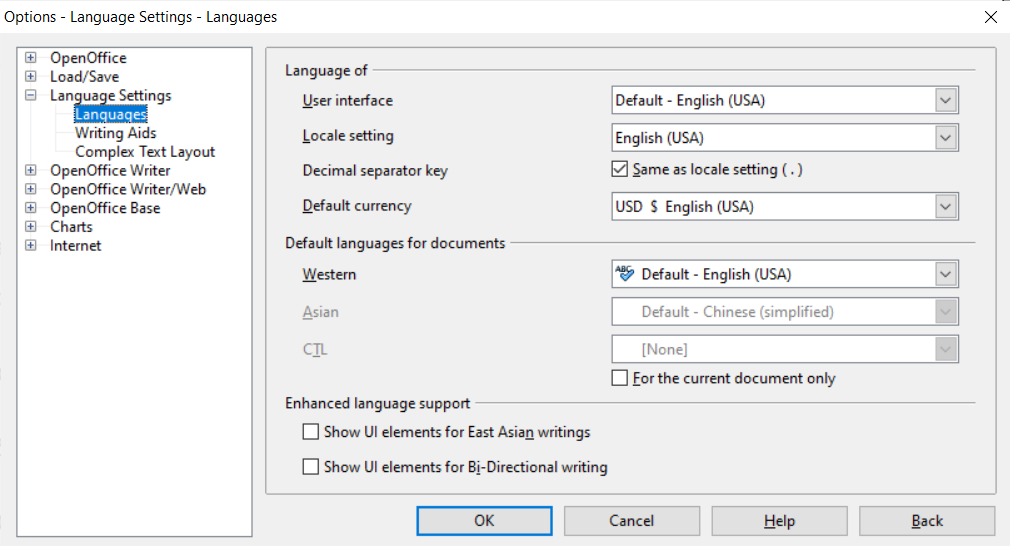
- Make sure to "tick" Show UI elements for Bi-directional writing.
You can select the language for the CTL (optional), then click OK.
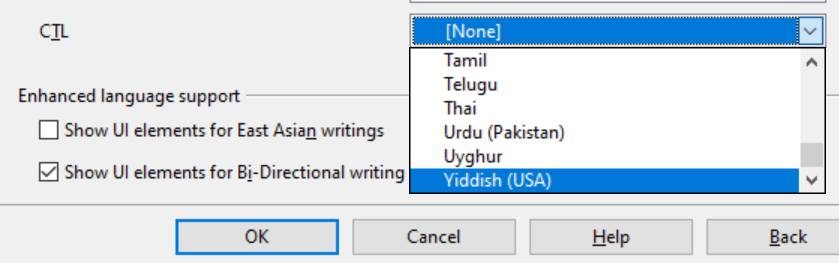
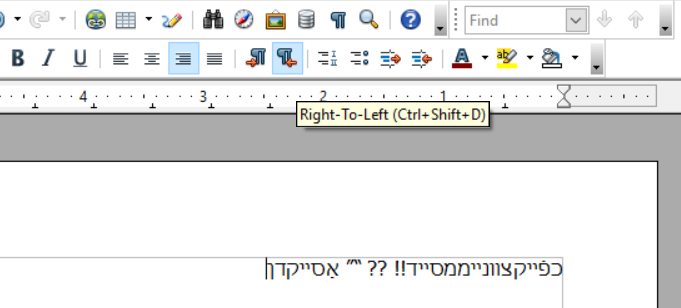
- Now, the options should appear for toggling between left and right typing styles. Enjoy!
Mozilla Thundrbird
Some applications like Thunderbird requires an add-on to get right-to-left typing styles to work properly. See here Right-to-left languages support in Thunderbird.
Keyman configuration for Windows
If any application encounters this issue only on one machine, here is an example of how to get it done with Keyman configuration.
See also
Applies to:
- Keyman for Windows
- Apache OpenOffice 4.1.15
- Mozilla Thundrbird 115.7.0